> ## Documentation Index
> Fetch the complete documentation index at: https://docs.kingdomly.app/llms.txt
> Use this file to discover all available pages before exploring further.
# Art Project Overview
> The content that makes up your NFT collection
## Overview
The Art Gallery is where creators generate and manage NFT assets before connecting them to a Mint Page. It provides tools for organizing, customizing, and uploading assets without coding.
### What is an Art project for?
* **Create NFT collections from scratch:** Start new projects and build your NFT assets directly in the Art Gallery.
* **Support for all project types:** Manage 1/1s, generative collections, metadata-driven projects, or single asset drops.
* **Organize and upload assets:** Structure your files and upload them in the correct format for smooth minting.
* **Customize before minting:** Set up hierarchy, rarity, and custom rules for your collection.
* **Finalize and connect to a mint page:** Finish your art project and connect it to a mint pag project.
## Know your art project
Kingdomly supports multiple types of art projects, each tailored to different creative needs and collection styles:
### 1 of 1s
Collections of unique artworks, where each NFT is distinct and has non-repetitive traits. These are usually a collection that are hand drawn or created by an artist without any algorithmic variations.
**Ideal for:**
* Unique artworks
* Fine art pieces
* Limited edition drops
* Collectible illustrations
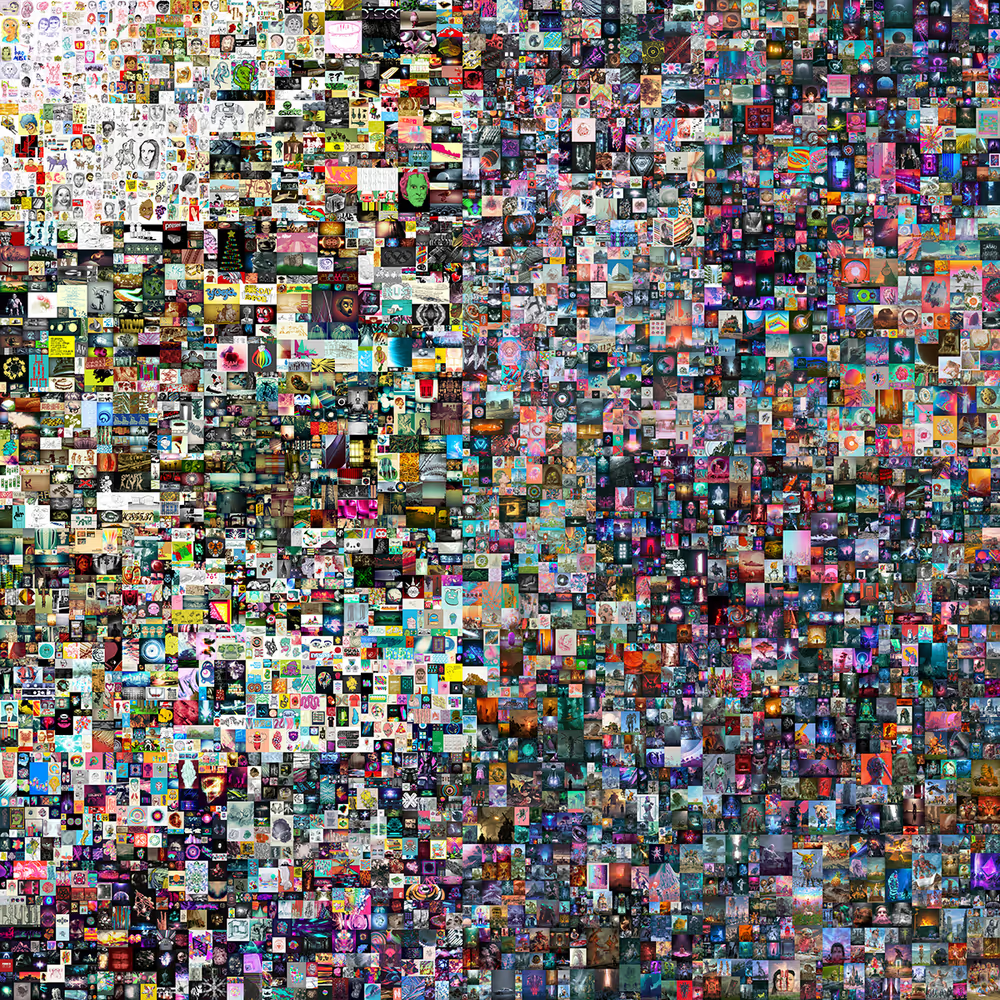 **Example 1 of 1 projects:**
* Everydays the First 5000 Days
* Bong bears from berachain
### Generative
Collections built from layered traits, where assets are programmatically combined and randomized. You can set rules and rarity weights for each trait.
**Ideal for:**
* PFP (Profile Picture) collections
* Generative avatars
* Art with algorithmic variations
**Example 1 of 1 projects:**
* Everydays the First 5000 Days
* Bong bears from berachain
### Generative
Collections built from layered traits, where assets are programmatically combined and randomized. You can set rules and rarity weights for each trait.
**Ideal for:**
* PFP (Profile Picture) collections
* Generative avatars
* Art with algorithmic variations
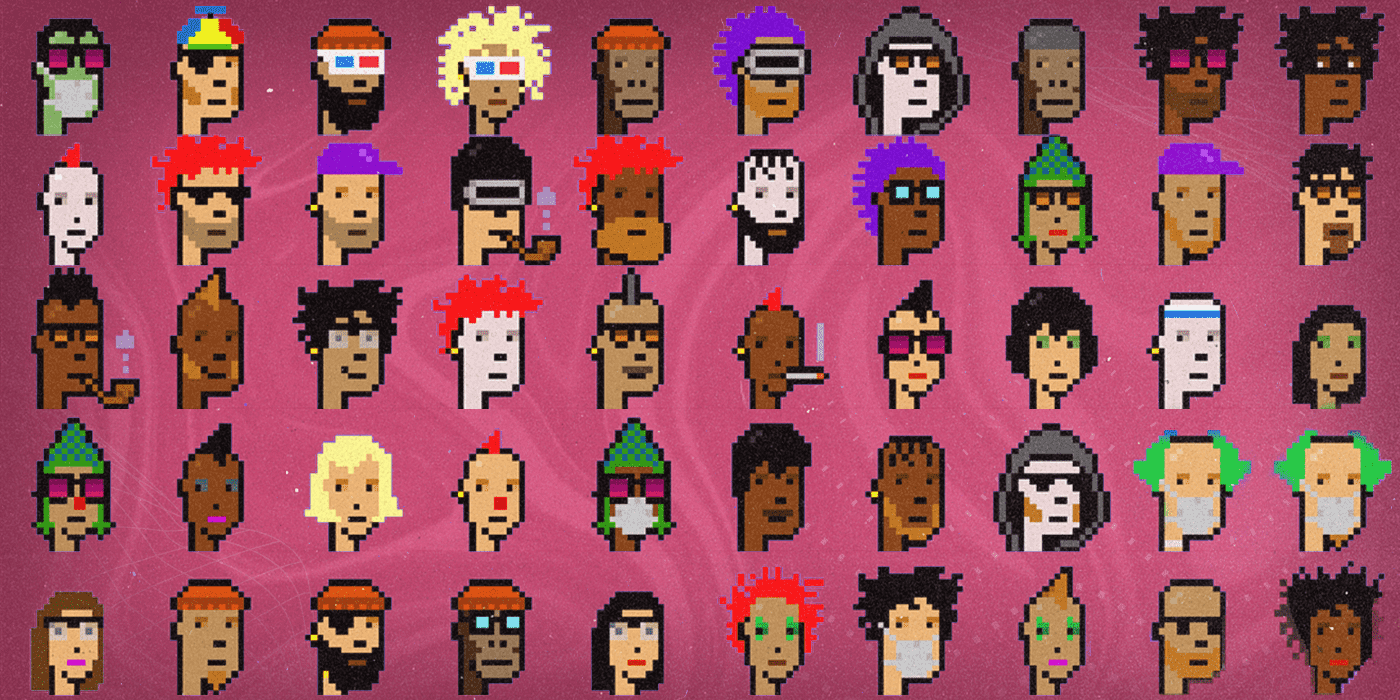 **Example generative projects:**
* Bored Ape Yacht Club
* CryptoPunks
* Pudgy Penguins
### Metadata
Collections where each asset is already paired with its own JSON metadata file. You can import your assets and metadata directly.
**Ideal for:**
* Advanced NFT functionalities (e.g., dynamic traits, on-chain data)
* Pre-existing NFT projects migrating to another chain
* Projects with custom metadata requirements
**Example generative projects:**
* Bored Ape Yacht Club
* CryptoPunks
* Pudgy Penguins
### Metadata
Collections where each asset is already paired with its own JSON metadata file. You can import your assets and metadata directly.
**Ideal for:**
* Advanced NFT functionalities (e.g., dynamic traits, on-chain data)
* Pre-existing NFT projects migrating to another chain
* Projects with custom metadata requirements
 **Example metadata projects:**
* The Sandbox
* Axie Infinity
* Beramonium
### Single Assets
Collections where all NFTs reference the same asset and metadata. This is a simple way to create a large supply of identical NFTs.
**Ideal for:**
* Pre-reveal collections (where the real art is revealed later)
* Large supply collections (e.g., event tickets, membership passes)
* Simple badge or access token drops
**Example single asset projects:**
* Event Tickets
* Membership Passes
* Simple Badges
### Art project painpoints and solutions
**Usually, when creating an art project, you will encounter the following painpoints and questions:**
* Creating a new art project from scratch
* Uploading assets
* Setting up hierarchy, rarity, and rules (for generative art projects)
* What is the difference of layers, traits, tokens, and collections
**Solutions:**
* Use the art project type that best fits your creative vision and the use-case that you want to cover!
* Uploading assets vary depending on the art project type.
* Plan ahead. Create a collection plan before you start uploading assets and setting up your generative art project.
* Traits are the subset of a layer. Tokens are a subset of a collection. Collections are a subset of a project.
Choose the art project type that best fits your creative vision and the use-case that you want to cover!
**Example metadata projects:**
* The Sandbox
* Axie Infinity
* Beramonium
### Single Assets
Collections where all NFTs reference the same asset and metadata. This is a simple way to create a large supply of identical NFTs.
**Ideal for:**
* Pre-reveal collections (where the real art is revealed later)
* Large supply collections (e.g., event tickets, membership passes)
* Simple badge or access token drops
**Example single asset projects:**
* Event Tickets
* Membership Passes
* Simple Badges
### Art project painpoints and solutions
**Usually, when creating an art project, you will encounter the following painpoints and questions:**
* Creating a new art project from scratch
* Uploading assets
* Setting up hierarchy, rarity, and rules (for generative art projects)
* What is the difference of layers, traits, tokens, and collections
**Solutions:**
* Use the art project type that best fits your creative vision and the use-case that you want to cover!
* Uploading assets vary depending on the art project type.
* Plan ahead. Create a collection plan before you start uploading assets and setting up your generative art project.
* Traits are the subset of a layer. Tokens are a subset of a collection. Collections are a subset of a project.
Choose the art project type that best fits your creative vision and the use-case that you want to cover!