> ## Documentation Index
> Fetch the complete documentation index at: https://docs.kingdomly.app/llms.txt
> Use this file to discover all available pages before exploring further.
# Single Asset
> One NFT for all tokens in the collection
## Creating a single asset art project
To create a single asset art project, you can follow these steps:
Go to the Art Gallery.
Click on the "**Create**" button.
Select the "**Single Asset**" option.
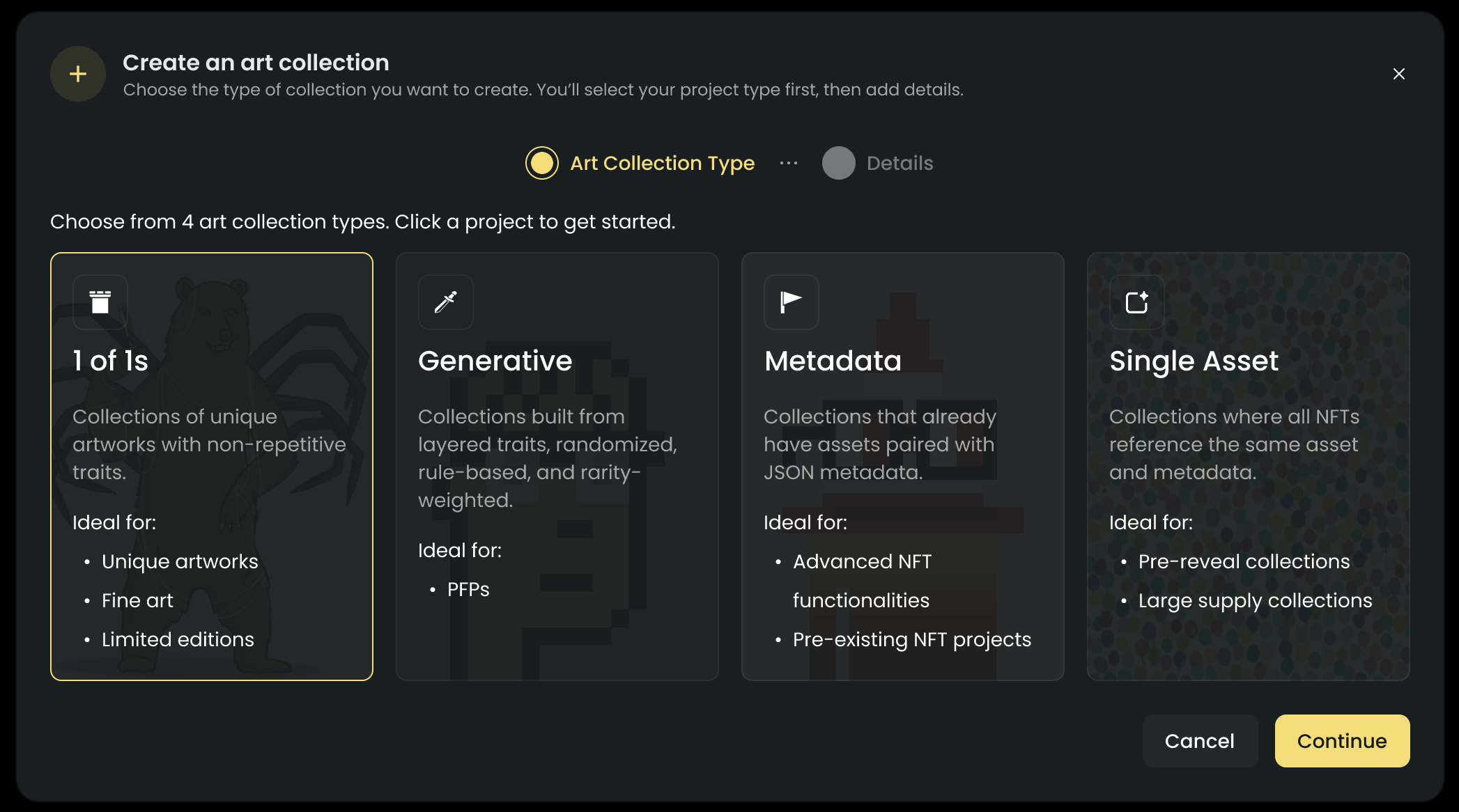 Hit add asset and upload one image/video file.
Set the name, description, and quantity you want.
Hit add asset and upload one image/video file.
Set the name, description, and quantity you want.
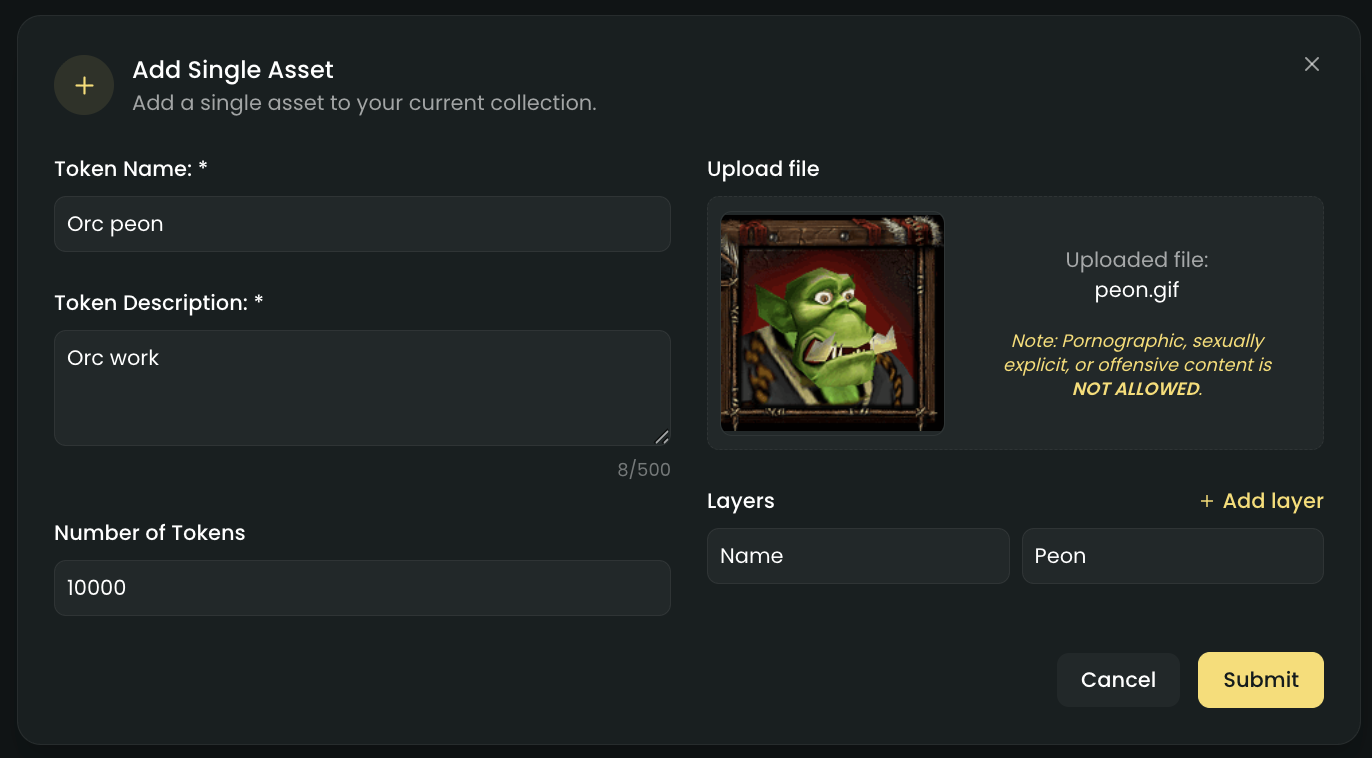 Upload asset and check the preview.
Publish your art project.
You will need to have atleast one asset uploaded to publish your art project
### Supported files
At the moment, these are the file types you can use for your single asset art project.
* Images (PNG, JPEG, GIF)
* Videos (MP4)
File sizes should be less than 10MB.
We are working on adding more options soon, so you will have even more flexibility in the future!
### Traits handling
To add traits to your single asset, you must set it up while uploading your assets.
Upload asset and check the preview.
Publish your art project.
You will need to have atleast one asset uploaded to publish your art project
### Supported files
At the moment, these are the file types you can use for your single asset art project.
* Images (PNG, JPEG, GIF)
* Videos (MP4)
File sizes should be less than 10MB.
We are working on adding more options soon, so you will have even more flexibility in the future!
### Traits handling
To add traits to your single asset, you must set it up while uploading your assets.
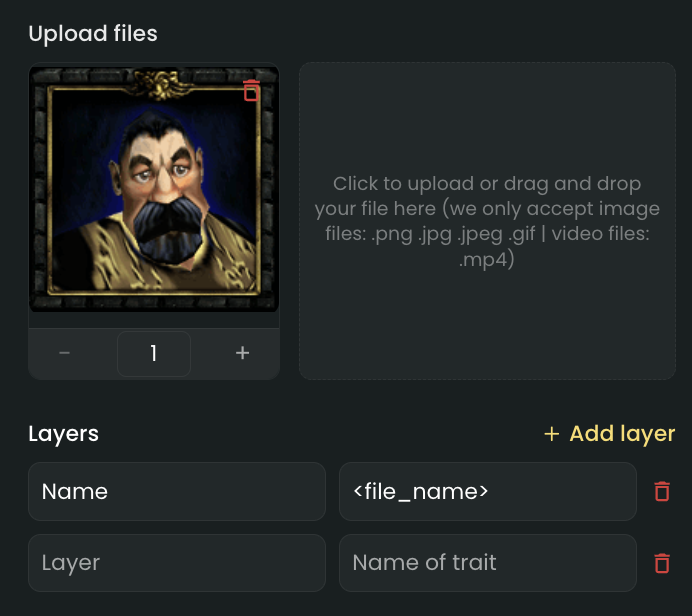 You can add as many traits as you want, but you will need to a key and a value for each trait.
If you set the value of a trait to ``, the value will be the name of the file you uploaded.
You can add as many traits as you want, but you will need to a key and a value for each trait.
If you set the value of a trait to ``, the value will be the name of the file you uploaded.