> ## Documentation Index
> Fetch the complete documentation index at: https://docs.kingdomly.app/llms.txt
> Use this file to discover all available pages before exploring further.
# Mint page setup
> The front-face of your NFT collection
## Overview
Mint page projects are the storefronts for your NFT projects. In this project you will be able to create a page that act as the public-facing landing page where collectors can mint your NFTs, while you manage everything in the backend as a creator.
### What you need to know about **mint page projects**
* This is where you can **create your mint page** and **link it to your art collections**.
* **Contract deployment** happens directly within the mint page project.
* Creators can **publish your mint page** even if you have not deployed your contract yet. This **flexible publishing** lets you prepare everything in stages before going live.
* Our new **gates feature** allows you to **gauge interest and collect pre-mint information** before you deploy your contract.
* Once your contract is deployed, you can **manage and facilitate the mint process** from the **mint page admin dashboard**.
* **Whitelist setting** is available in the mint page admin dashboard.
***
## How to create a mint page project
You can follow the steps below to create a mint page project from beginning to end.
Certain steps can be skipped and be completed later. We added more flexibility to allow creators setup a mint page without deploying any contracts immediately.
Go to your mint projects page.
Open the creation modal by hitting "**Create**"
Select the **chain** you want to deploy your contract to.
Fill in the **details** of your mint page project.
Hit "**Create**"
Your mint page project will be created and you will be redirected to the project page where you can start **setting up your mint page**.
Link an **art collection** to your mint page project.
Fill out your **Mint Page Details**. And publish your mint page.
Each mint page has 6 subtabs that cover all information collectors need to know about your project: Profile, Art Collection, Roadmap, Team, FAQs, Music.
You are not allowed to publish your mint page until you finished the follwing:
* Link an **art collection**
* Set your **collection category**
* Set a **collection name and description**
* Uploaded a **banner image**
* Uploaded a **profile image**
* Uploaded atleast one **carousel image**
This is necessary to have your mint page loaded on the mint feed with complete information.
Organize your **Mint Groups**.
Mint Groups are used to organize your mint page into different sections.
**Launch your Mint Page.**
When you’re ready to go live, move to the Launch Tab.
* You will be prompted to review Contract Info, Supply and Price Preview. The system will also prompt you to complete any missing information.
* Once done filling out all necessary information, you can now finalize by completing the following steps:
* Compile Smart Contract
* Deploy Smart Contract
* Verify Smart Contract
Once Smart Contract has been deployed, collection name and supply lock in permanently.
**Manage via Admin Tab.**
After deployment, you’ll be redirected to the Admin Tab, where you can do the following:
* View an overview of your Mint Page.
* Continue editing connected elements like Art Gallery collections (only if they match the same supply).
* Adjust Mint Groups as needed.
The Launch Tab will no longer be available once your smart contract is deployed.
### Video tutorial
## Setup breakdown
Let's break down and explain each step in more detail.
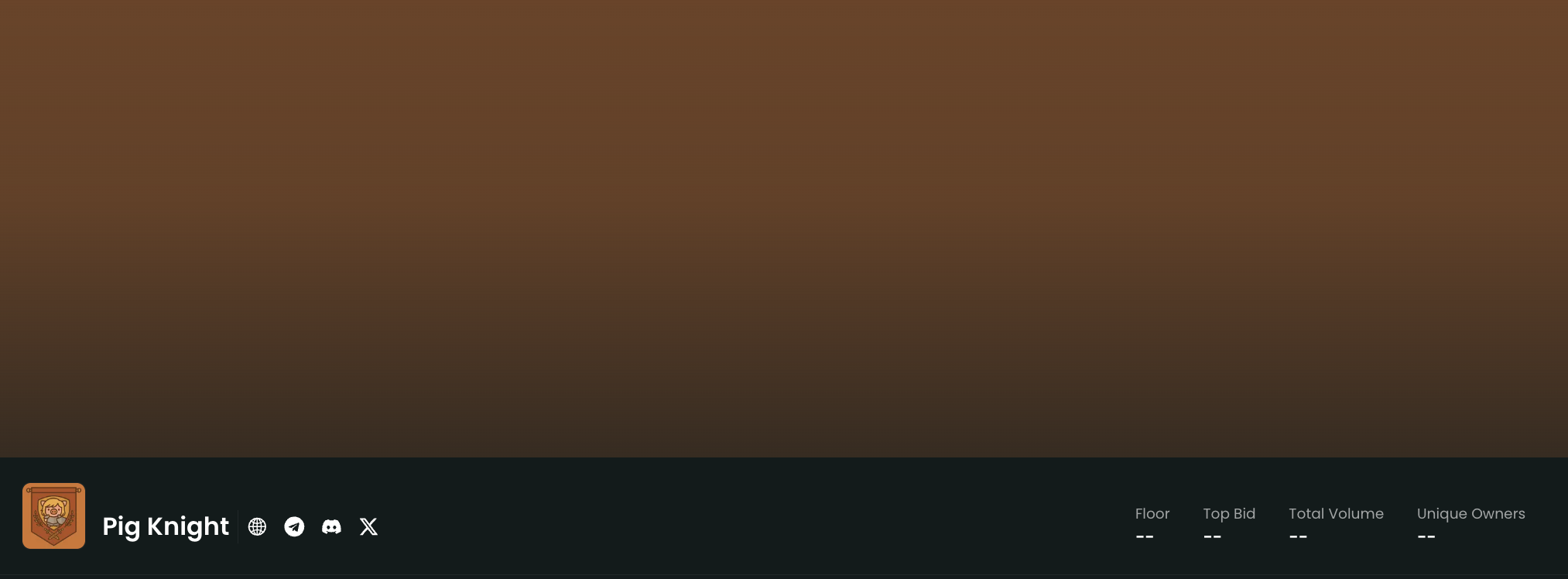
The **header section** displays the **collection name**, **links**, **collection profile image**, and the **Kingdomly verified tag** (if applicable). This is the first thing **minters** will see when they visit your **mint page**.
A clean **header section** helps your **mint page** stand out and makes a strong first impression.
**What does this look like on the mint page:**
**Secondary trading data** is not yet available for **mint page**.
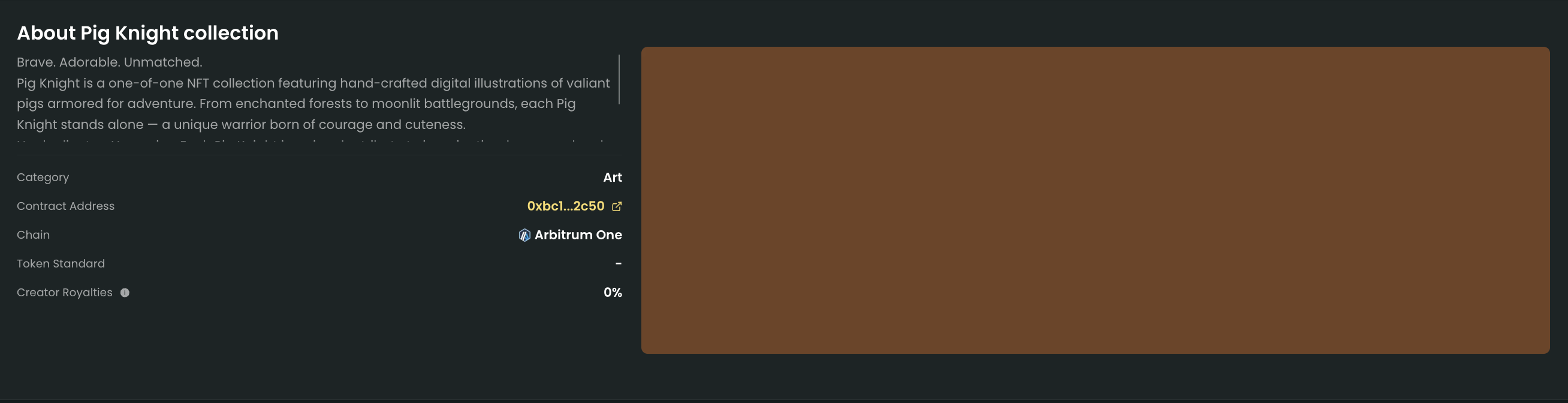
The **about section** displays the **collection description**, **category**, **contract address** (and its link to the scanner), **NFT standard** (we use **721AC** by default), and the **creator royalties percentage**.
The **about section** allows more transparent information to be displayed for the **minters**.
**What does this look like on the mint page:**
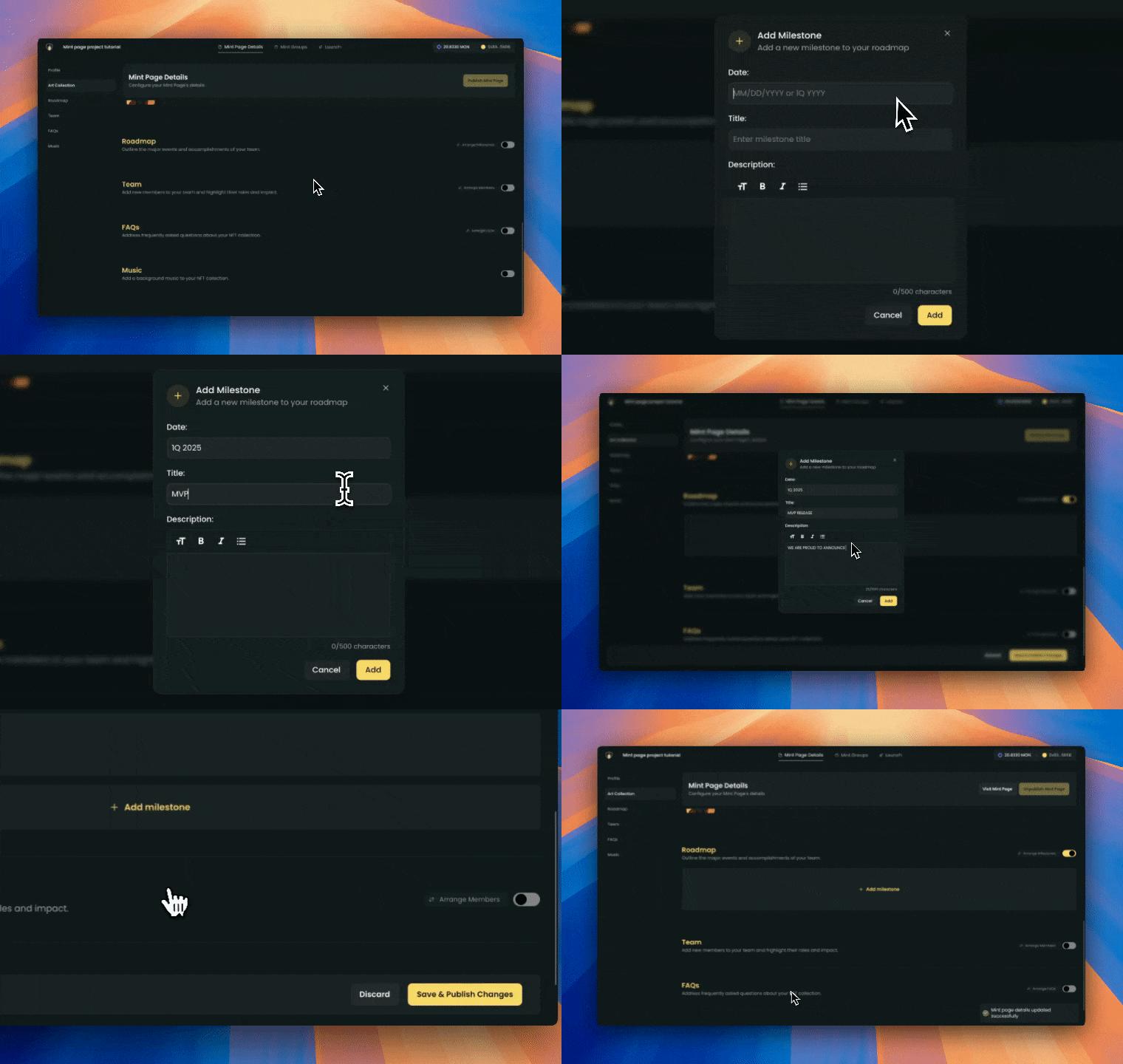
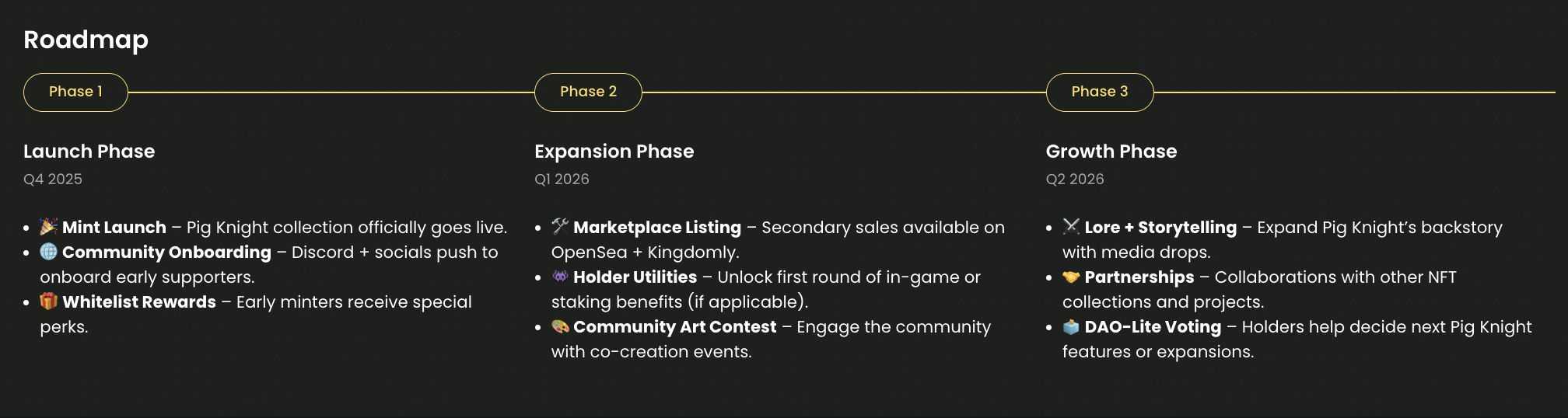
The **roadmap section** displays the **timeline** and **future plans** for your collection. Use this area to outline your project's **milestones** and **vision**.
A clear **roadmap** helps **minters** understand the direction and goals of your collection.
**What does this look like on the mint page:**
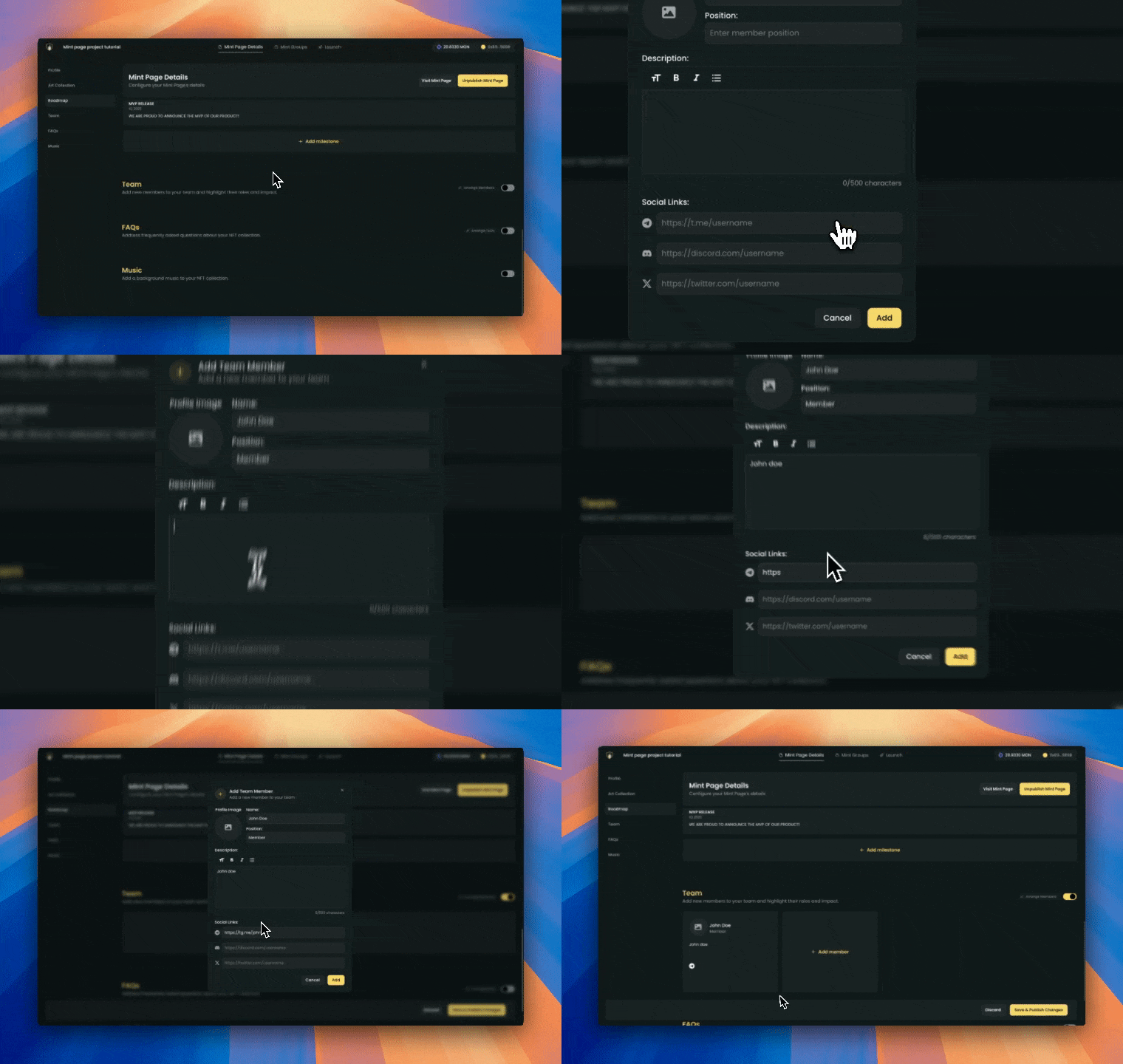
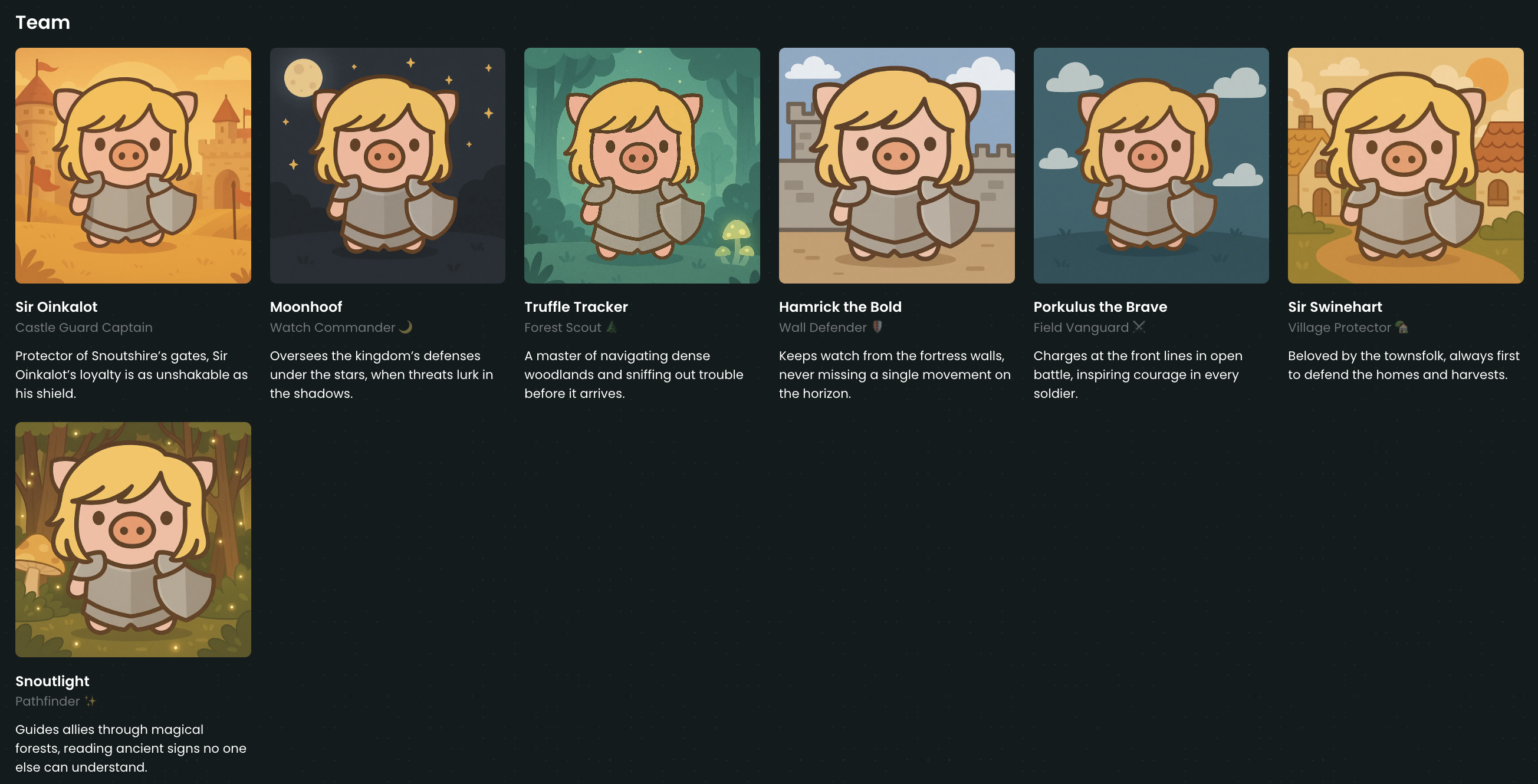
The **team section** highlights the people behind your collection. Introduce your **team members** and share what they are working on.
A transparent **team section** helps **minters** connect with the **creators** and builds trust.
**What does this look like on the mint page:**
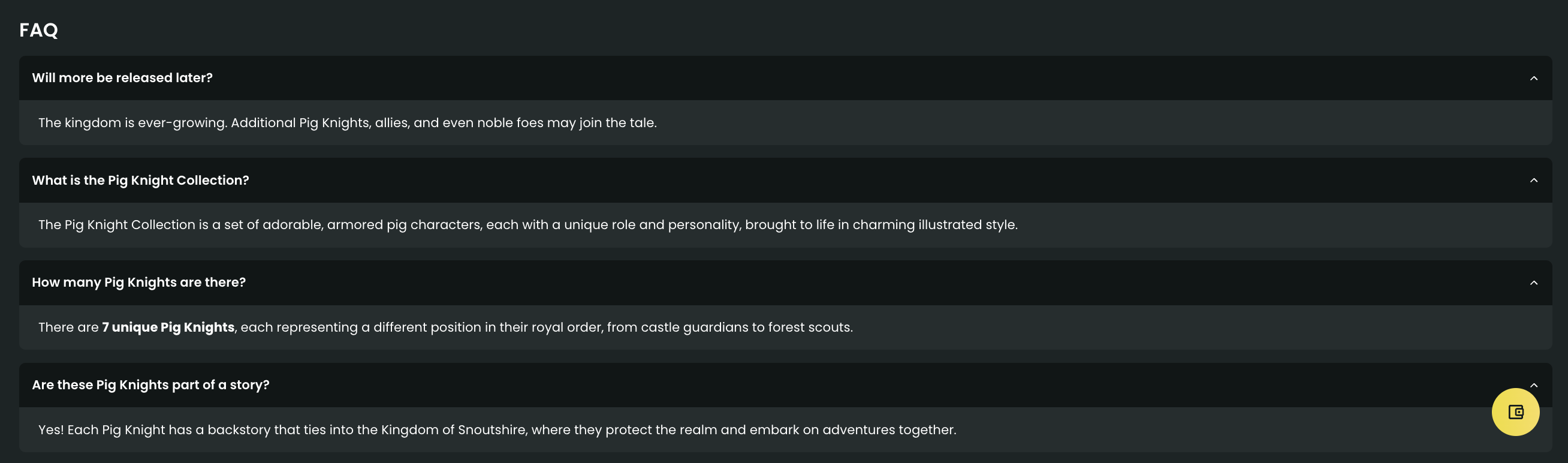
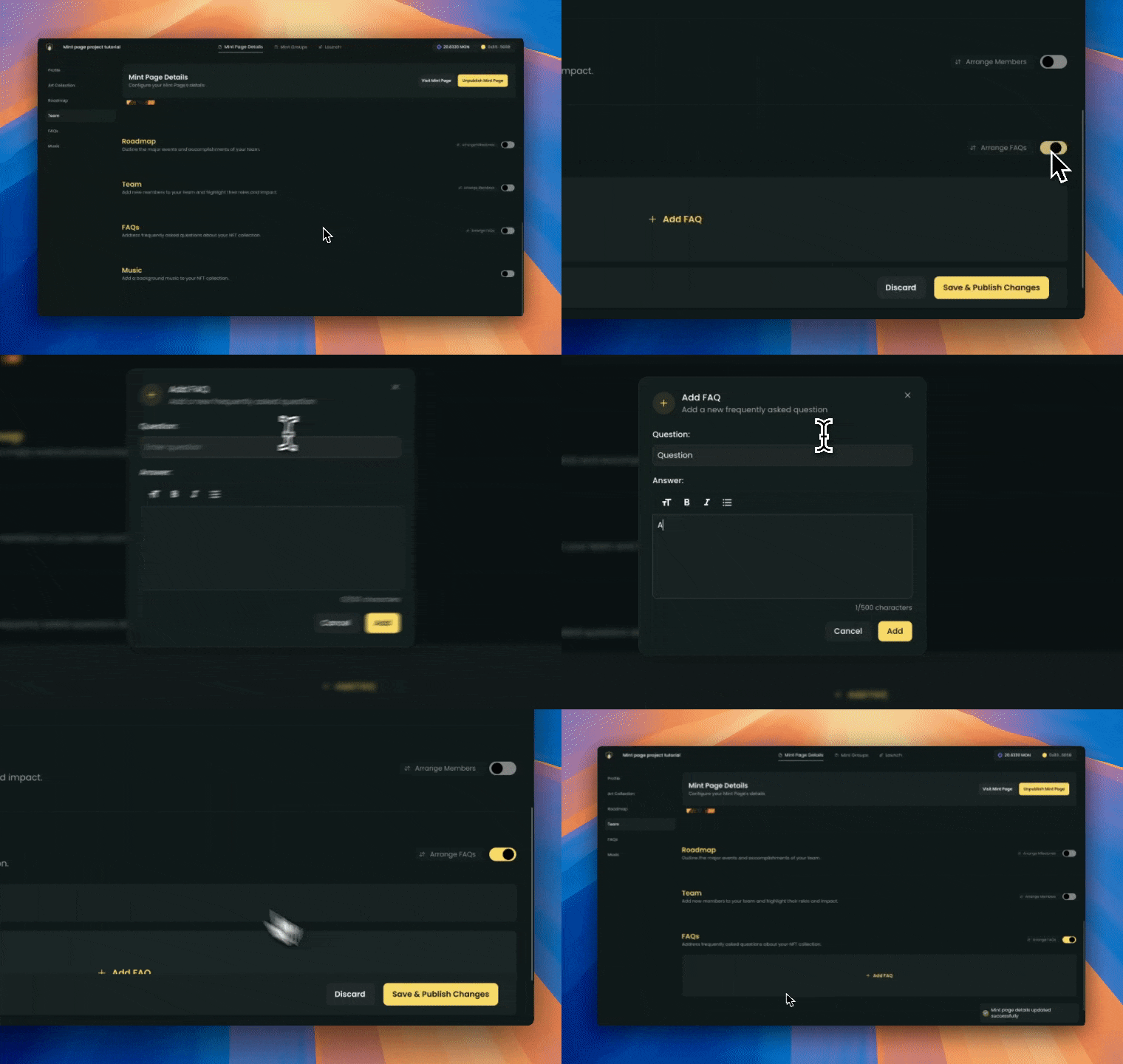
The **FAQs section** answers common questions about your collection. Use this space to address important topics and provide clarity for your audience.
A helpful **FAQs section** makes it easier for **minters** to find the information they need.
**What does this look like on the mint page:**
 **What does this look like on the mint page:**
 **What does this look like on the mint page:**
 **What does this look like on the mint page:**